Instagram Reel Upload DateTime
Find the exact upload date and time of any Instagram reel
1. Go to Instagram Reel & Open Developer Tools
Navigate to the Instagram reel you want to check, then open the Developer Console in Chrome:
- Windows/Linux: Press
Ctrl + Shift + JorF12 - Mac: Press
Cmd + Option + J - Menu: Click the three dots menu → More tools → Developer tools → Console tab
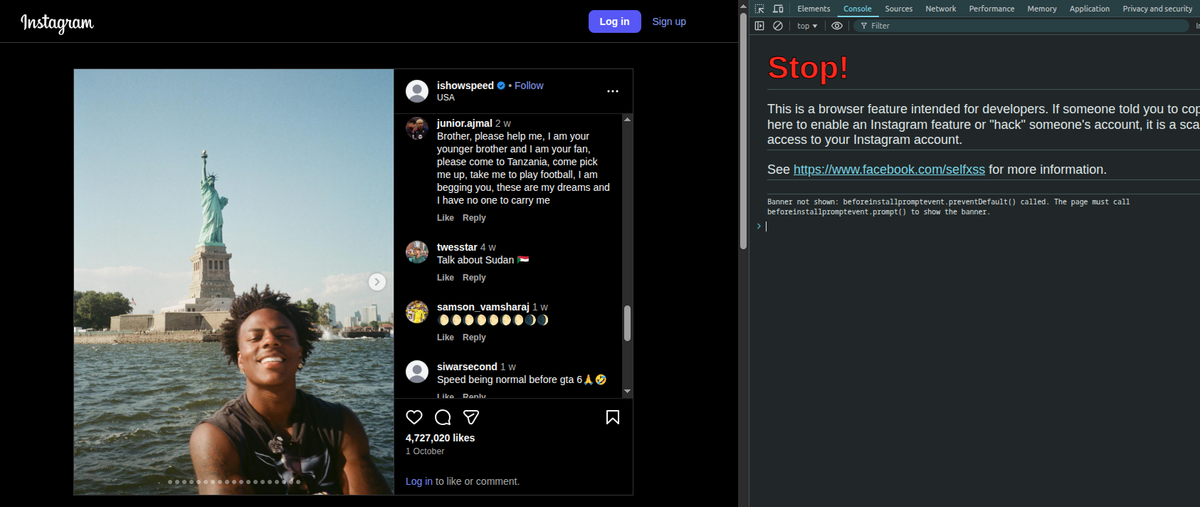
The page will look something like this:
2. Paste Code in Console
In the console, paste this code and press Enter:
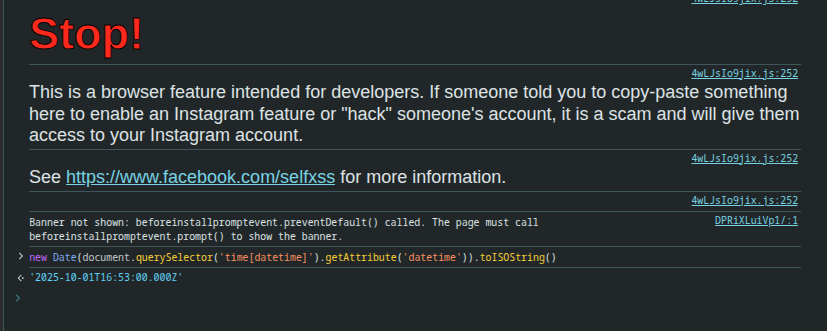
new Date(document.querySelector('time[datetime]').getAttribute('datetime')).toISOString()After pasting the code, it will look like this:
3. Copy the value
The console will output an ISO datetime string like this "2025-11-25T11:56:06.000Z".
Copy that value and paste it in the converter below.